
Powerful tools in your hands
Responsibly accelerate your own work designing, evaluating or implementing digital tools in health care.
On this page you can find practical, easy-to-use resources, developed by ELLLA and selected collaborators.
Scientifically validated
From educational materials to measuring instruments, ELLLA’s core selection of resources are grounded in the scientific discipline of Human Factors Engineering.
These core resources are relevant for:
- Software providers: Product owners, UI and UX designers, content creators
- Investigators: Scientific researchers and health care professionals
- Healthcare managers: Digital innovation strategy, programme and project leaders
- Educators and students: Healthcare students studying technology, technology studens studying healthcare
Develop
DEMIGNED design principles infographic
When to use: you’re developing a digital tool for people living with dementia.
Your goal: Promote accessibility and usability of websites and software for people living with cognitive impairment (e.g. dementia)
How to use: Before starting a design sprint, download and review the infographic alongside other design principles and guidance (e.g. WCAG).

CheatSheet bias aware image generation
When to use: you’re creating images using generative AI.
Your goal: Ensure that images, especially of older adults with or without chronic health conditions, are non-stigmatizing.
How to use: Before generating images, download the CheatSheet and follow the steps of the checklist.

Test
GEMS usability instrument
When to use: you’re testing a digital tool with (potential) users.
Your goal: measure how easy, or how difficult, users found it to use the digital tool.
How to use: Request access to the instrument, discuss your research context and receive guidance on how to use the instrument and anlyse the results.
GEMS card-deck
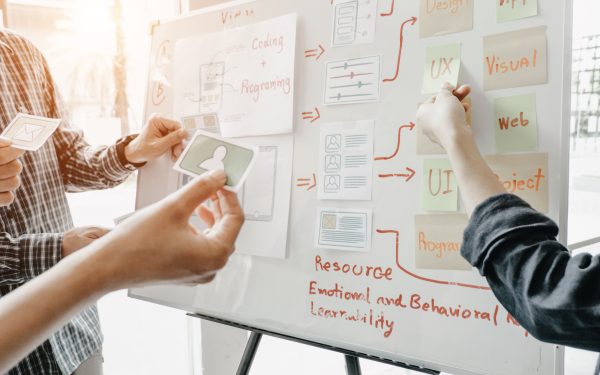
When to use: you’re testing a digital tool with (potential) users who experience low literacy, cognitive impairment or other challenges to engagement with traditional research methods.
Goal: measure how easy, or how difficult, users found it to use the digital tool.
How to use: Request access to the card deck, discuss your research context and receive tailored guidance on how to use the instrument and anlyse the results.

DEMIGNED Checklist
When to use: you’re doing an expert test (“heuristic evaluation”) of a digital tool to be used by people living with dementia.
Your goal: find (and fix) likely usability problems before exposing users to the technology.
How to use: Download the checklist, identify an (independent) design expert to suppor the evaluation, and then follow the instructions in the first Worksheet.

Implement
Guide: clinical decision support systems in children’s services [Dutch-language]
When to use: you’re selecting or developing and implementing (digital) clinical decision support systems in paediatrics and/or children’s services.
Your goal: ensure that guidelines and clinical decision support systems are actually adopted and used by professionals.
How to use: Download the guide, review the recommendations and consider how to apply them in your organization.
Evaluate
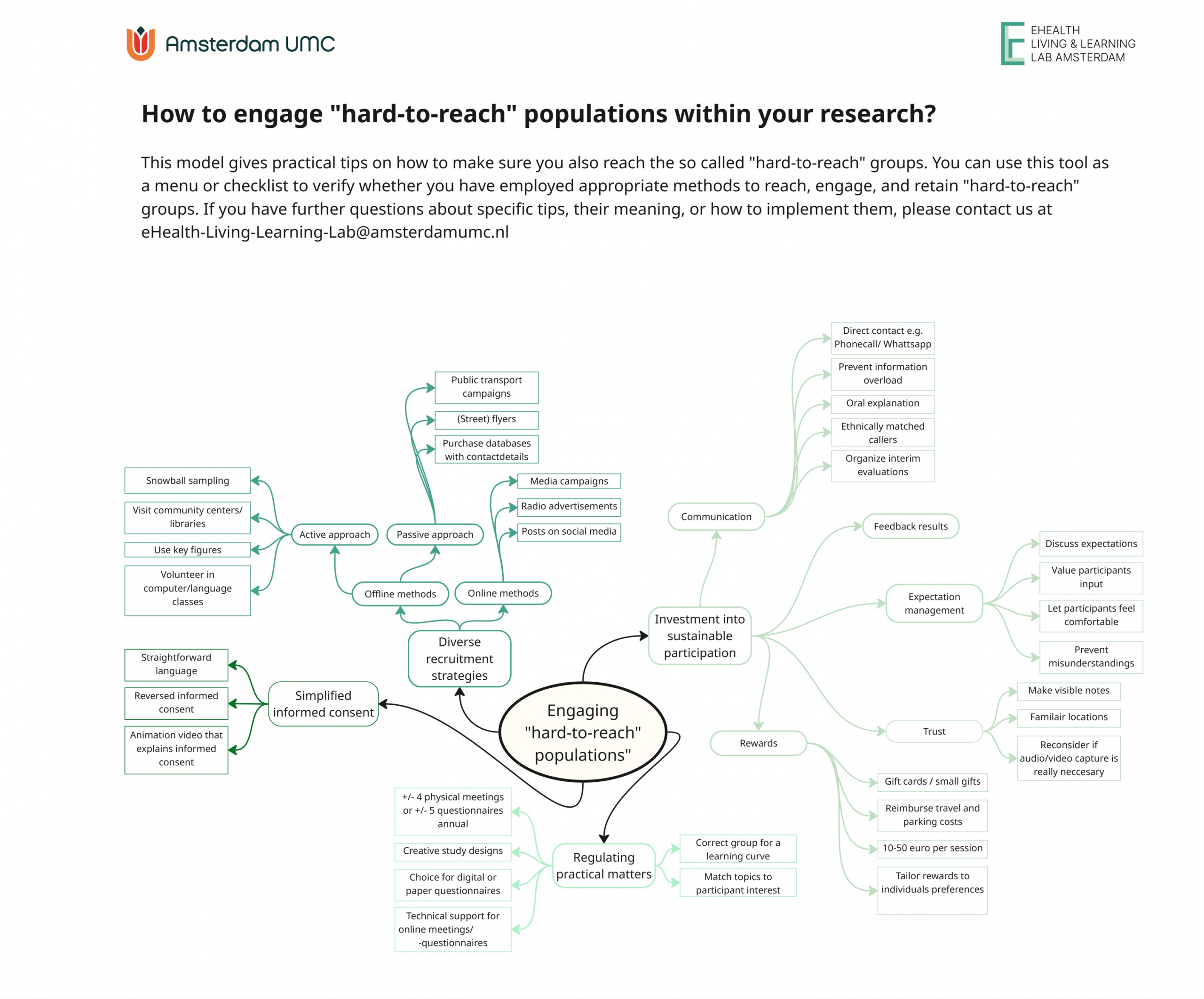
Recruiting “hard to reach” populations infographic
When to use: you’re aiming to reach and involve so‑called “hard‑to‑reach” groups in your evaluation of a technology or application.
Your goal: engage a diverse population so that your results are as representative as possible.
How to use: Download the infographic, review the approaches that can be used to reach and engage people in research, and decide which approaches may be most effective in your specific context.

Educate
MediZeker serious game
When to use: you’re aiming to teach or learn with a group of people about the importance of (digital) health literacy, and accessible, usable technology.
Your goal: provide an active and fun educational activity, after which learners can explain barriers faced by people with low (digital) health literacy and how technology can help or hinder.
How to use: the MediZeker game is a physical puzzle game, that works a bit like an escape room. Get in touch to request access, learn how to play and plan your session.

Looking for something else?
In addition to resources that we’ve developed ourselves, we use an extensive selection of instruments, frameworks, guidelines, educational materials, software and hardware. If you’re looking for something specific and need some advice, feel free to get in touch and we can help you choose the right tool to get your job done.